Introduction:
When managing Azure Storage Accounts, configuring firewall rules is essential for securing your data. However, certain behaviors, such as Azure Data Factory accessing your storage despite public network access being disabled, can cause confusion. In this article, we’ll explore why this happens, the role of Azure trusted services, and how to troubleshoot potential network connection issues.
Table of Contents
1. The Customer Issue: Unexpected Access
A customer reported that after setting their Storage Account firewall’s public network access to “Disabled,” certain Azure Data Factory workloads could still access and read data from the storage account.
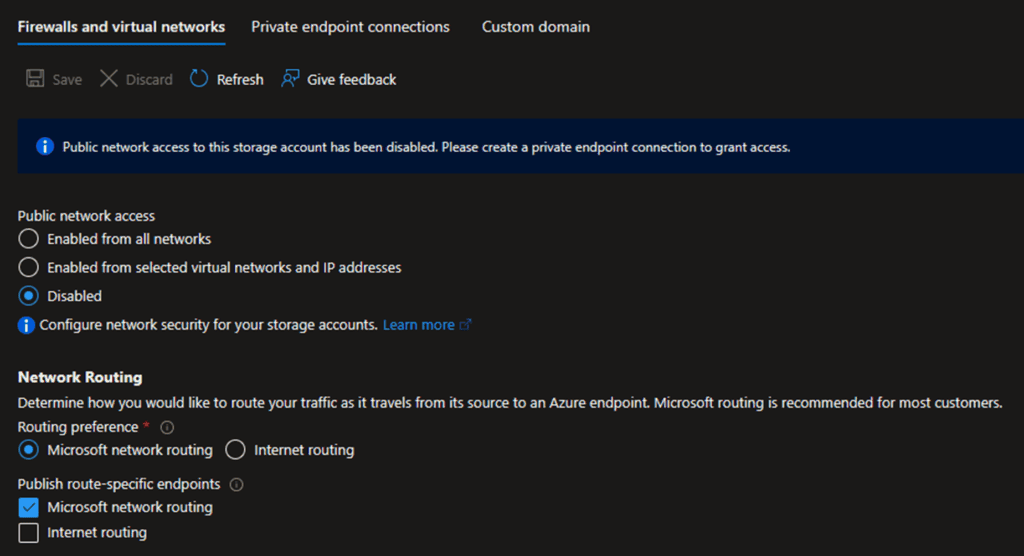
During the investigation by Azure CSS team, two public IP addresses were observed accessing the Storage Account:
- An Azure Data Factory reserved IP address.
- A customer on-premises server running a Data Factory self-hosted integration runtime.
2. Investigating the Behavior
The issue raised concerns about why the Azure Data Factory agent could successfully connect to the storage account despite the restricted public network access.
3. The Role of Azure Trusted Services
The option “Allow Azure services on the trusted services list to access this storage account” is designed to permit specific Azure services to bypass firewall restrictions and access the storage account. This includes Azure Data Factory.
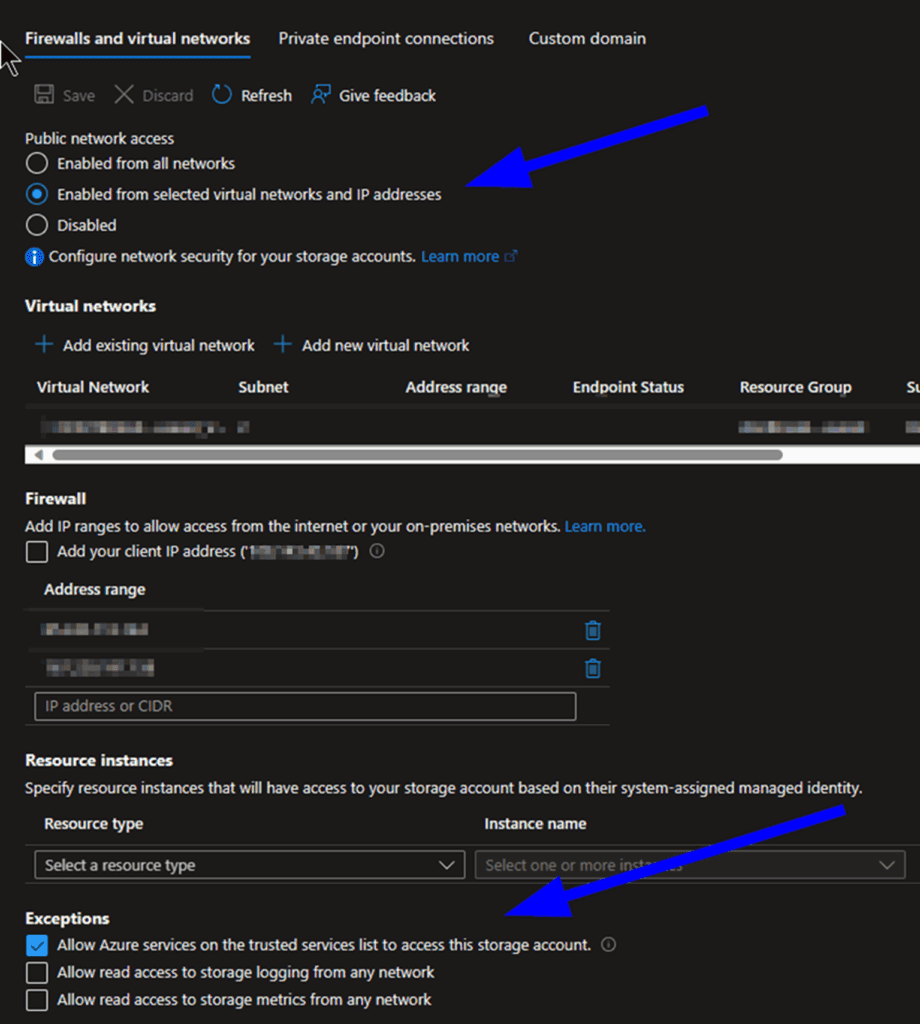
Even when the firewall is configured with either:
- “Enabled from selected virtual networks and IP addresses”, or
- “Disabled”,
…the trusted services exception remains active if the option is enabled.
4. Expected Behavior and Documentation
This behavior is by design and is intended to facilitate scenarios where public access is disabled, but certain Azure trusted services still require access.
For more details, refer to the official documentation:
Configure Azure Storage firewalls and virtual networks | Microsoft Learn
5. Troubleshooting Tips for Network Issues
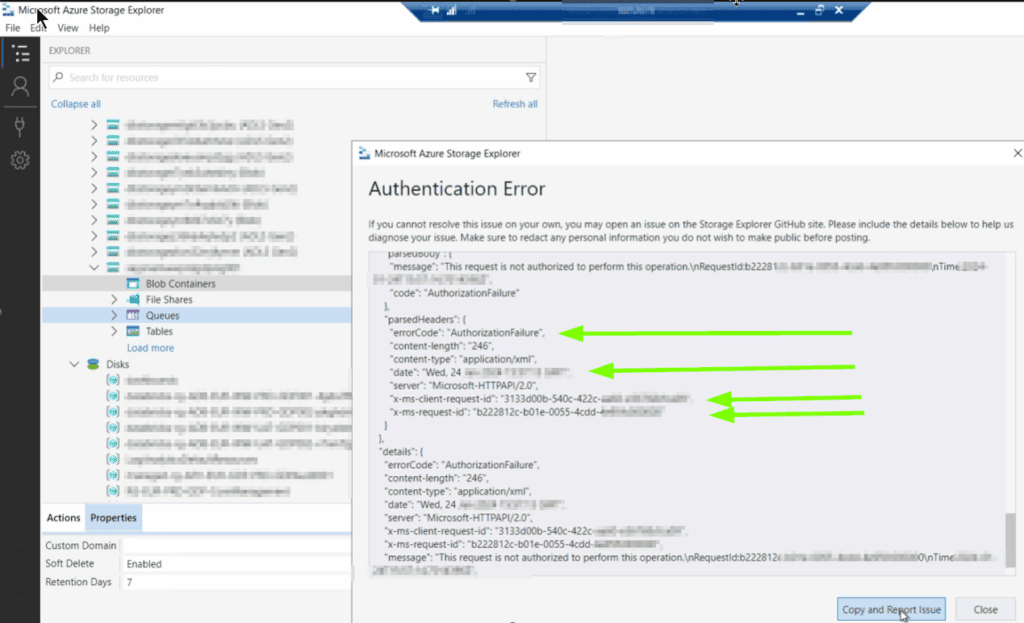
If you encounter network connection issues with your Azure Storage Account, consider using Microsoft Azure Storage Explorer. This tool provides valuable insights and can help diagnose connectivity problems effectively.
Conclusion
Understanding the behavior of Azure Storage Account firewall rules and the role of Azure trusted services is crucial for ensuring secure and functional configurations. By enabling trusted services, you can allow essential Azure services like Data Factory to access your storage account without compromising security.