Sitemap & RSS/Atom Feed Validation: Are Your Sitemap and Feed Well-Formed?
Last updated:
A sitemap is an XML file that lists the pages of a website for search engines, and a feed — RSS or Atom — is an XML file that lists the newest content for readers and feed readers; both are machine-readable files that only work when they are well-formed. A sitemap helps crawlers discover pages they might otherwise miss: new pages, deep pages, pages with few links pointing at them. A feed lets readers follow a site without visiting it — the reader polls the feed and shows what is new. Both files are small, the rules for them are public, and a check takes minutes — yet both break silently, with no error page for anyone to see. This article explains what a sitemap is and what a feed is, the fields that actually decide validity, the five mistakes that break them, what passing a check cannot promise, and how to check your own sitemap and feed in five minutes with the Sitemap & RSS/Atom Feed Validator.
What a sitemap is and what a feed is — and why they need to be well-formed
A sitemap is an XML document, usually served at /sitemap.xml, whose
Both files need to be well-formed because XML parsers, unlike HTML parsers, have no error recovery. One unclosed tag, one stray & in a URL, one date in the wrong format, and a strict parser rejects the whole document — not just the broken line. Search engines do not show you an error page when this happens; they quietly ignore the file, and your new pages wait to be discovered by crawling alone. Feed readers behave the same way: a malformed feed shows as stale or empty, and subscribers simply stop seeing new posts. Validation is cheap insurance against a silent failure — the file is small, the rules are public, and the check takes minutes.
The fields that actually decide validity — and the limits that matter
For a sitemap, every
Then there are the limits. One sitemap file holds at most 50,000 URLs and at most 50 MB uncompressed — go past either and the file is invalid, however correct its entries are. Big sites split their URLs across many sitemap files and list those files in a sitemap index, which itself can list up to 50,000 sitemaps. Two things worth knowing about the optional fields: 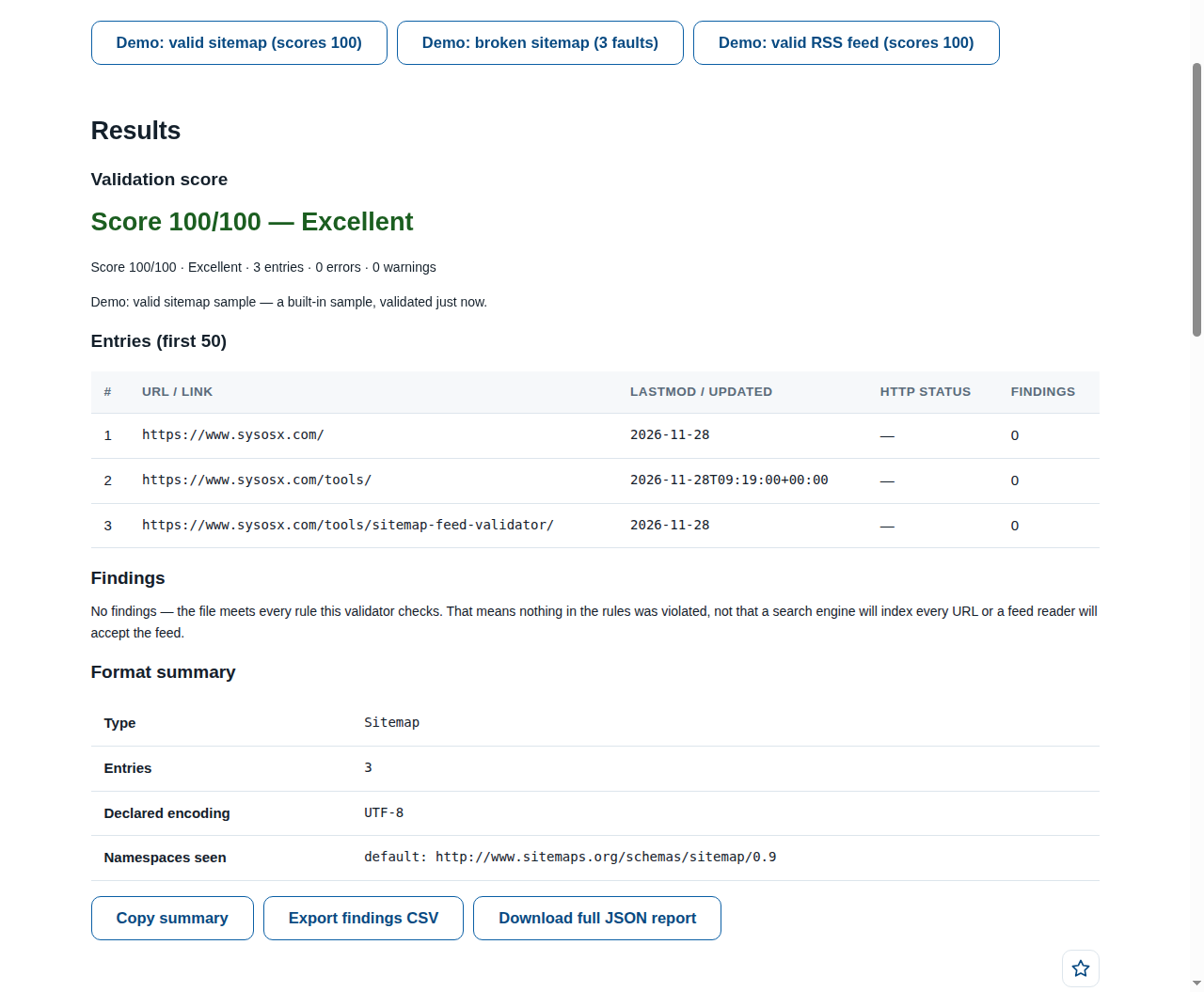
The five mistakes that break them
First, relative URLs: a
Each one has a quick fix, and the order to check them is the order above. Generate every URL from the site’s canonical base so no relative address can slip in. Format dates with the standard for the format you are writing — ISO 8601 for
What passing a check cannot promise
This needs saying plainly: a valid sitemap is a suggestion, not an order, and indexing is the search engine’s call. Google may crawl a listed URL and still not index it — thin content, duplicate content, quality judgement — and it may index pages that appear in no sitemap at all. A sitemap raises the chance that a page is discovered; it does not guarantee the page is indexed, ranked, or shown. The same applies to feeds: a valid feed does not make a reader show your posts, and readers poll on their own schedule, so a fixed feed can take hours to show up as fresh.
A 200 does not mean indexable, either. A URL can return 200 and still be blocked by robots.txt, carry a noindex tag, require a login, or be a soft 404 that returns a success status for a page that does not exist — and a sitemap validator does not check any of those. Nor does passing here mean passing everywhere: this tool checks against its built-in rules drawn from sitemaps.org, RFC 4287 and the RSS 2.0 specification, but search engines and feed readers apply their own additional rules, and it does not validate against the official XSD schemas — so a file can pass here and still fail a strict schema check. A clean score means the file is well-formed. Discovery and indexing remain the search engine’s decision.
Sitemap vs sitemap index vs RSS vs Atom — four formats, one file each
The four formats look alike — all XML, all lists — but they answer different questions. A sitemap (
Which one do you need? Every site benefits from a sitemap; large sites add an index. Publishers offer a feed — RSS or Atom, since readers accept both — and Atom’s stricter rules make it a good default: an Atom file that validates is usually clean everywhere. One file holds one format, never a mixture: a document that combines a
How to check your own sitemap and feed in five minutes
Open the Sitemap & RSS/Atom Feed Validator and start with the paste demos: a valid sitemap sample that shows what a clean run looks like — score, entry table, findings and format summary — then the broken demo, the same sample with three deliberate faults (one non-absolute URL, one bad lastmod date, one duplicate URL), which shows how the findings explain each fault with a fix, and a small valid RSS sample for the feed side. Then check your own file: paste the XML to validate it entirely in your browser — nothing is uploaded — or check it by URL, in which case the checker fetches the file and samples up to 20 entry URLs spread evenly across it, not just the first 20, and reports each sampled URL’s HTTP status. If the URL is not XML at all, or not a recognised sitemap or feed, that is the result — the tool says so plainly, with the content type and the first bytes quoted.
Read the score as a summary, not a verdict. It starts at 100: each error costs 10, up to a total of 50; each warning costs 3, up to 15; each duplicate loc costs 5, up to 15, counted inside the error cap; more than 50,000 entries costs 10; and in URL mode each sampled URL that does not return a 2xx status costs 5, up to 20. An unparseable XML file gets an error report and no score at all. Ninety or above is Excellent, 70–89 is Good, 50–69 Needs work, and below 50 is Poor. Fix errors first — the relative URL, the bad date, the duplicate — then warnings, then re-run: the fastest path to a clean score is usually one missing field or one bad date, not a rewrite. And once the score is clean, submit the sitemap to your search console and subscribe to your own feed in a reader — that is the check no automated tool can run for you.
Try it yourself: a minimal valid sitemap
<?xml version="1.0" encoding="UTF-8"?>
<urlset xmlns="http://www.sitemaps.org/schemas/sitemap/0.9">
  <url>
    <loc>https://www.example.com/</loc>
    <lastmod>2026-11-28</lastmod>
    <changefreq>weekly</changefreq>
    <priority>1.0</priority>
  </url>
  <url>
    <loc>https://www.example.com/about/</loc>
    <lastmod>2026-11-20</lastmod>
    <changefreq>monthly</changefreq>
    <priority>0.8</priority>
  </url>
</urlset>