Cookies and Trackers: A Privacy Audit Guide
Last updated:
A cookie is a small name–value pair that a website asks your browser to store and send back on later requests — and a tracker is any script or cookie whose job is to recognise you across pages or across sites. Between them they decide how much of a visitor’s behaviour a site — and the companies embedded in it — can observe. This article covers the three attributes that decide whether a cookie is safe, why the tidy first-party/third-party distinction blurred, the tracker zoo organised by what each category actually takes, how consent banners changed what the first response contains, what an audit of that response cannot see, and how to audit your own site in two minutes with the Cookie, Tracker & Privacy Audit.
What cookies and trackers are, in one paragraph each
A cookie begins as one response header: Set-Cookie, carrying a name, a value, and a set of attributes. The browser stores it and, on later requests to matching addresses, sends it back in a Cookie header. That simple mechanism is how sites remember that you are logged in, what is in your cart, and which language you read — and also how advertising companies recognise the same browser on thousands of unrelated sites. The cookie itself is neutral; everything depends on who sets it, what its attributes allow, how long it lives, and what the value identifies.
A tracker is not a file type but a role: any mechanism whose purpose is observation across contexts. It can be a cookie with an advertising ID, a JavaScript library that reports page views to an analytics platform, a one-pixel image phoning home, or a session-recording script that replays mouse movements. Trackers are usually loaded as third-party resources or set as first-party cookies on a vendor’s behalf, and they are what privacy law mostly regulates: the question is rarely whether a site may remember you at all, but whether it may follow you, and whether it asked first.
The attributes that decide whether a cookie is safe
Three attributes do most of the work. Secure confines the cookie to HTTPS, so it never crosses a network in plaintext where anyone on the path can copy it. HttpOnly hides it from JavaScript: the browser still sends it, but no script can read it — which turns a cross-site scripting hole from “attacker steals every visitor’s session” into a much smaller problem, and is why session and login cookies should always carry it. SameSite governs cross-site sending: Strict means the cookie stays home entirely, Lax (the default in modern browsers) sends it on top-level navigations, and None sends it with every cross-site request — the setting cross-site tracking requires, which is why browsers refuse None without Secure.
Two quieter facts matter as much. The lifetime: a session cookie dies with the browser, while a cookie with a two-year Max-Age is a durable identifier whatever its name claims — regulators and browsers treat persistence itself as tracking-grade, and Chrome caps cookie lifetimes at 400 days for exactly this reason. And the Domain attribute: omit it and the cookie belongs to the exact host that set it; set it to a parent domain and every subdomain receives it — including a forgotten test subdomain, a user-content host, or one taken over later. Most cookie incidents are not exotic; they are a missing HttpOnly, an over-broad Domain, or a lifetime nobody chose on purpose.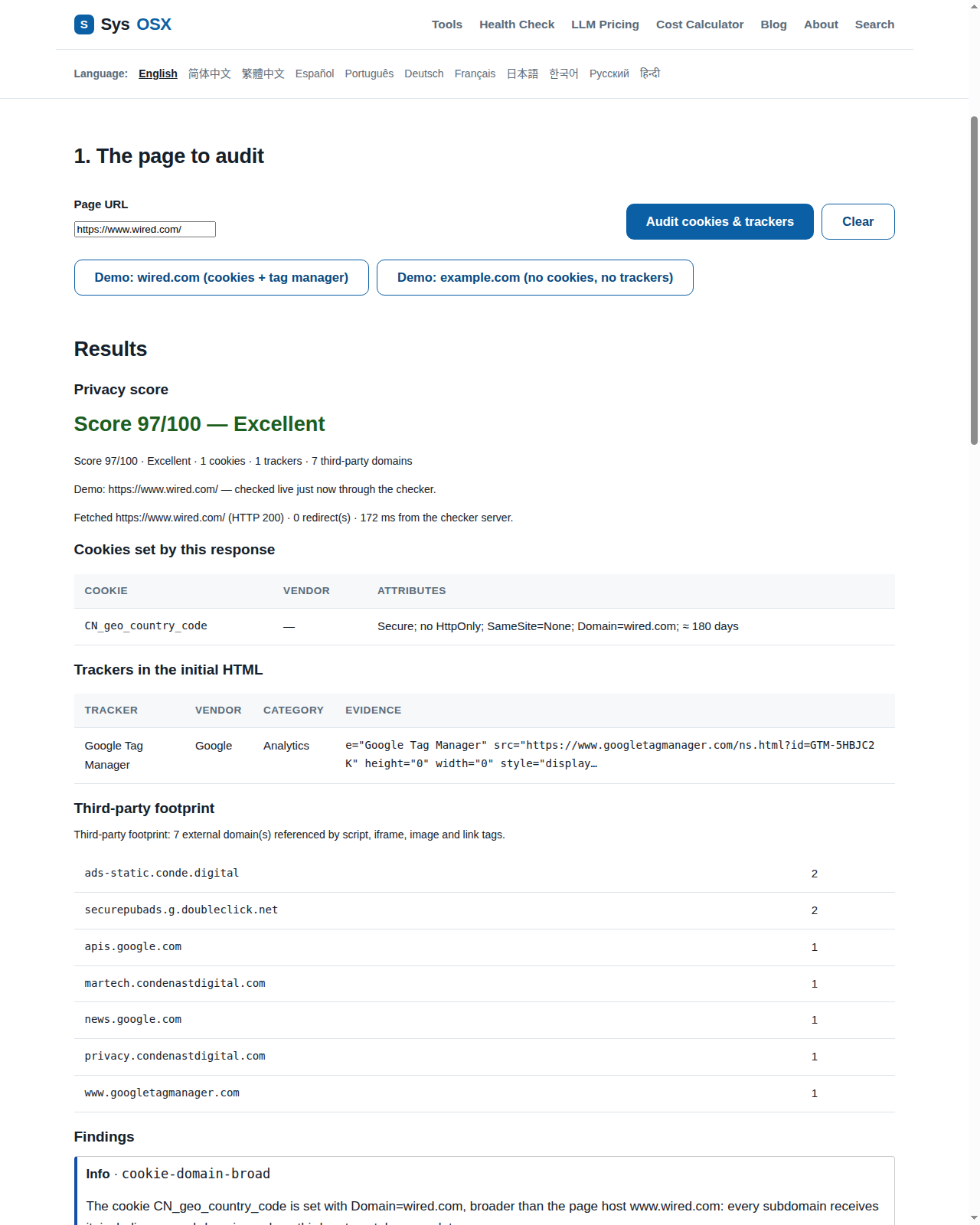
First-party, third-party — and why the line blurred
The classic distinction is simple: a first-party cookie is set by the site in your address bar; a third-party cookie is set by someone else embedded in the page, typically an ad network, and is what lets that network recognise you across every site that embeds it. Privacy regulation and browser policy aimed at the third-party kind: Safari and Firefox block most of them by default, and Chrome has spent years negotiating their phase-out. If the story ended there, an audit could simply count third-party cookies and be done.
It did not end there. Trackers moved first-party: the _ga cookie is set by the site you visit, in its own name space, on Google’s behalf — first-party by mechanism, third-party by purpose. And they learned to hide: CNAME cloaking points a subdomain of the site (metrics.example.com) at a tracker’s server, so the tracker’s cookies and requests wear the site’s own domain and pass every first-party test. No header audit can see through cloaking — it requires DNS inspection — so this guide’s tool classifies cookies by name and trackers by signature, which catches the purpose even when the domain lies, and says plainly that cloaking is beyond its view.
The tracker zoo, by category and by what each takes
Analytics is the tamest category: Google Analytics, Matomo, Segment, Amplitude and their kin count visits, paths and conversions. What they take is behavioural data about your site’s use, sometimes joined to a persistent client ID — useful, comparatively contained, and the category most amenable to a cookieless configuration. Advertising and social pixels are a different animal: the Meta Pixel, TikTok Pixel, LinkedIn Insight Tag and X pixel report your visit to a platform whose business is joining it with your activity everywhere else, building the profile that ad targeting bids on. Their presence on a page is a data-sharing decision, not a measurement detail.
Session replay is the category site owners most often underestimate: Hotjar and Microsoft Clarity record mouse movements, clicks, scrolls and the rendered page itself, then let the owner watch visits back like video. Done carefully — every input masked, sensitive pages excluded — it is a usability tool; done with defaults on the wrong pages, it can capture form contents, including data a visitor typed and deleted. Against these stand the privacy-friendly analytics — Plausible, Umami, self-hosted Matomo — designed to answer “how many, from where, reading what” without identifying anyone, and the only category an audit should reward rather than merely excuse.
Consent banners changed the first response — and audits have limits
Under the EU’s and UK’s rules, non-essential cookies and trackers require consent before they fire. The visible result is the banner; the structural result is that a compliant site’s first response — the HTML and headers a brand-new visitor receives — should contain analytics at most, and no advertising pixels at all, with the rest arriving only after a click. That makes the first response the honest place to audit: it is the site’s pre-consent behaviour, the exact thing regulators test, and the thing a server-side fetch can measure without simulating a human. A site that fires its full zoo at a stranger who has clicked nothing has a consent problem whatever its banner says.
The limits deserve equal emphasis. An audit of one response sees no JavaScript execution, so trackers injected at runtime, cookies set by scripts, and anything behind an interaction are invisible to it. It performs no consent, so it cannot report what loads after acceptance — a second, separate question. It classifies by names and signatures, so a renamed, self-hosted or cloaked tracker can pass unseen, and a lookalike string can in principle false-positive (which is why every hit shows its evidence). And it cannot judge purpose or lawfulness: only the operator knows their configuration, their contracts and their jurisdiction. The audit is a strong first look, not a compliance verdict.
Audit your own site in two minutes
Open the Cookie, Tracker & Privacy Audit and start with the demos: wired.com shows a large publisher’s first response — four cookies, a tag manager, a row of third-party domains — while example.com shows the empty case at 100. Then audit your own homepage, and afterwards one page of each other kind you run (a product page, a checkout page, a login page), because cookie behaviour differs by page type and the homepage is usually the cleanest. Compare against the Third-Party Script Audit for the scripts themselves, and the Security Headers Checker for the other half of the response’s privacy story.
Read the score as a summary of the deductions, which the tool states openly. It starts at 100: SameSite=None without Secure costs 10 per cookie (capped at −20); a tracker cookie costs 4 (capped at −16); an advertising or social tracker costs 6 (capped at −18); session replay costs 8 (capped at −16); analytics costs 3 (capped at −9); a cookie without Secure on an HTTPS page costs 3 (capped at −9); a cookie living over 400 days costs 3 (capped at −9); privacy-friendly analytics costs nothing. Ninety or above is Excellent, 70–89 Good, 50–69 Needs work, below 50 Poor. Fix errors first, then pre-consent pixels, then the quiet risks — broad domains and long lifetimes.
Try it yourself: one cookie, set carefully and carelessly
# A session cookie set the careful way — host-only (no Domain
# attribute), HTTPS-only, invisible to JavaScript, kept off
# cross-site requests, and dead after two weeks:
Set-Cookie: session_id=<value>; Path=/; Secure; HttpOnly; SameSite=Lax; Max-Age=1209600

# The same cookie set the careless way — readable by any script
# on the page, sent over plain HTTP, riding every cross-site
# request, and alive for two years:
Set-Cookie: session_id=<value>; Path=/; Domain=example.com; Max-Age=63072000